AWS 亚马逊 hms 密钥导入接口调研
调研将key导入 亚马逊服务器管理一套使用文档
AWS 亚马逊 hms 密钥导入接口调研
调研将key导入 亚马逊服务器管理一套使用文档
参考资料
-
原始命令文档 https://docs.aws.amazon.com/zh_cn/payment-cryptography/latest/userguide/keys-manage.html
-
pythonSDK文档 https://boto3.amazonaws.com/v1/documentation/api/latest/reference/services/payment-cryptography.html
-
java SDK文档 https://docs.aws.amazon.com/sdk-for-java/latest/developer-guide/home.html
1. 安装环境命令 aws-cli
https://docs.aws.amazon.com/zh_cn/cli/latest/userguide/getting-started-install.html
2. 配置 aws-cli
https://docs.aws.amazon.com/zh_cn/cli/latest/userguide/getting-started-quickstart.html
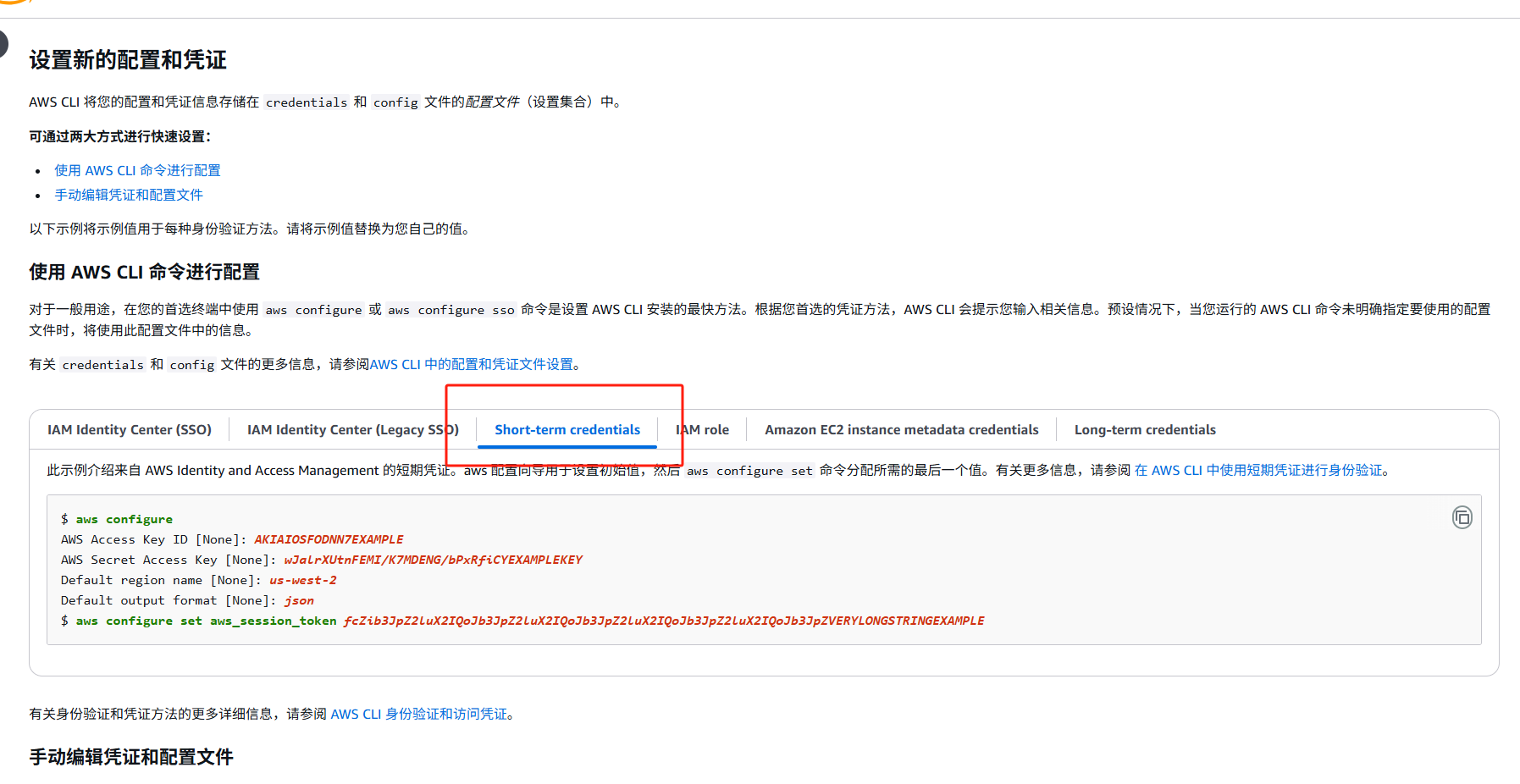
3. 导入证书, 非对称证书
https://docs.aws.amazon.com/zh_cn/payment-cryptography/latest/userguide/keys-import.html
3.1 调用 “初始化导入” 命令
aws payment-cryptography get-parameters-for-import \
    --key-material-type TR34_KEY_BLOCK \
    --wrapping-key-algorithm RSA_2048
4.列出密钥 https://docs.aws.amazon.com/zh_cn/payment-cryptography/latest/userguide/keys-list.html
-
命令
aws payment-cryptography list-keys
-
python
self.client = boto3.client(‘payment-cryptography’, region_name=region)
response = self.client.list_keys()
-
java
demo中有 ListKeysUtil.java 工具类 (调试运行失败)
5. 删除密钥
证书签发
https://docs.aws.amazon.com/zh_cn/privateca/latest/userguide/creating-managing.html
讨论与反馈